
Shopify AI Video Generator & Product Video Maker Playbook
Learn how to use a Shopify AI video generator and Shopify product video maker workflow to create more ecommerce creatives and ad variations faster.
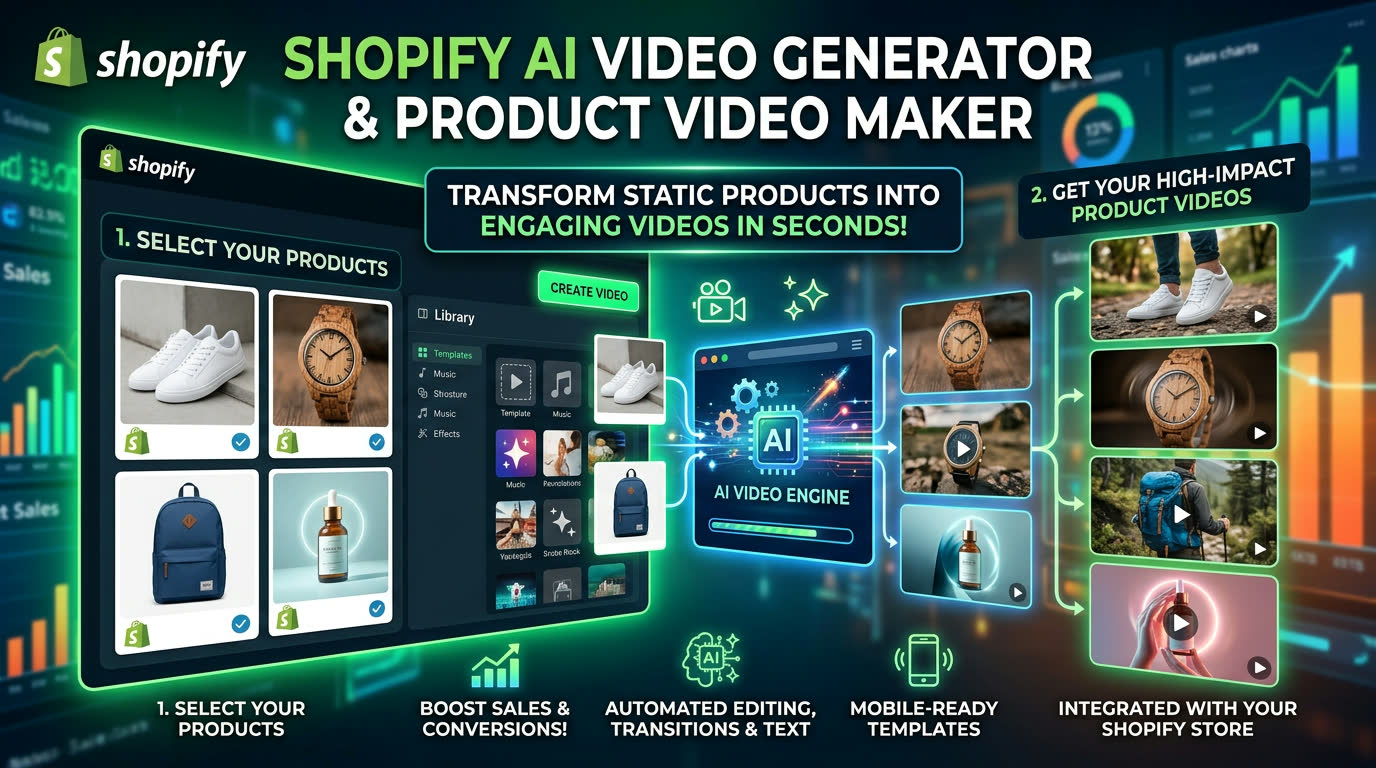
If you are searching for a Shopify AI video generator or a Shopify product video maker, you are probably trying to solve a more specific problem: how to create more winning ecommerce creatives from the same product assets without slowing down your testing cycle.
That is why Shopify brands need more than a one-click video tool. They need a workflow that can turn product photos, offer angles, and storefront messaging into multiple product-page and paid-social variants quickly. This playbook shows how to do that with Advivi.
What a Shopify AI video generator should actually help you do
A useful Shopify workflow should help ecommerce teams do four things well:
- Turn product assets into a structured storyboard fast.
- Test multiple offers and hooks without rebuilding every draft.
- Create separate versions for storefronts and paid ads.
- Reuse winning scenes inside a faster iteration loop.
If a tool cannot support that system, it is not really helping with Shopify creative production. It is just generating isolated videos.
1. Build creatives around offer angles, not just visuals
When ecommerce teams create product videos, they often start with a beautiful image and hope the message will sort itself out later. That usually leads to weak conversion performance.
Instead, start your Advivi prompt with the exact angle you want to test:
"Create a Shopify product video for a posture corrector. Angle one is daily comfort, angle two is office use, angle three is gifting, and create one faster paid-social version with a stronger opening hook."
Advivi turns that into a storyboard structure you can actually review, which makes it much easier to compare product messages before you spend time generating final scenes.
2. Use the storyboard as your product-message testing grid
For Shopify stores, the best-performing creatives usually keep each scene focused on one job:
- Open with the strongest product pain point.
- Show the product use case immediately.
- Demonstrate one clear benefit at a time.
- Close with a product outcome or offer-driven CTA.
Because Advivi creates scene-level storyboard frames, you can edit a single product angle without throwing away the full draft. That is a faster system for Shopify product video maker testing than remaking every video from zero.
3. Shopify product video maker vs paid-social creative workflow
One of the biggest mistakes in ecommerce creative is using the exact same asset everywhere. The version that works on a Shopify product page is not always the version that wins on Meta or TikTok.
A strong Shopify product video maker workflow should let you build one base concept, then spin it into a cleaner storefront version and a faster, hook-heavy paid-social version. With Generate Selected Videos, Advivi lets you do exactly that while keeping the same underlying product story.
4. Generate variants for storefront content and ads
After reviewing the storyboard, generate only the scenes that deserve motion. Some clips are better for a Shopify landing page or product section, while others should be optimized for faster ad pacing.
This scene-level control matters because it helps you keep the product message consistent while tailoring the output to the channel where it will actually be used.
5. Add voiceover only after the visual story is clear
After the key scenes are locked, use Generate VoiceOver & BGM. This makes it easier to keep your narration aligned with the actual product flow instead of trying to force visuals to match a script written too early.
For most Shopify brands, concise benefit-driven voiceover works better than long scripted explanation. Let the product visuals do most of the selling.
6. Use the timeline to scale creative testing
Once you click Add All Videos to Timeline, you can build a real testing engine. Swap the first scene, shorten the product demo, replace the CTA, and export multiple variants from one base project.
This is what makes a Shopify AI video generator useful in practice. It is not just about generating one video. It is about turning one product concept into an efficient creative system.
Why this works better than a generic Shopify video tool
The strongest ecommerce teams do not scale because they found one perfect ad. They scale because they can turn one product brief into multiple creative angles, test them quickly, and reuse the winners across storefront and paid channels.
That is why our Shopify AI video generator page focuses on repeatable iteration instead of just one-click output.
Shopify AI Video Generator FAQ
What is a Shopify AI video generator?
A Shopify AI video generator helps ecommerce teams turn product photos, offer angles, and brief prompts into structured video drafts for storefront content and paid creatives. The main value is faster testing and cleaner asset reuse.
What is the difference between a Shopify AI video generator and a Shopify product video maker?
The terms are close, but the intent can differ slightly. "Shopify AI video generator" often points to faster automated creation, while "Shopify product video maker" often leans toward product-focused content for listings, landing pages, or storefront sections. A strong workflow should support both.
Can I create both storefront videos and ad creatives from one product concept?
Yes. With a storyboard-based workflow, you can build one product idea and turn it into multiple outputs, including cleaner Shopify page versions and faster ad-ready variants for Meta and TikTok.
Can I create multiple Shopify product video variations quickly?
Yes. Scene-based editing, selected video generation, and timeline swapping make it possible to test multiple offers, hooks, and product messages much faster than rebuilding each creative from scratch.
Pair this playbook with a dedicated Shopify landing workflow
If you want a page built specifically around ecommerce production, use our Shopify AI video generator workflow. It is designed for product images, offer testing, and faster iteration across storefront and paid channels.
Want more Shopify creative variations with less manual work?
Use Advivi to turn one product brief into multiple ecommerce video angles, generate only the scenes you need, and assemble cleaner Shopify-ready creatives faster.
Try the Shopify AI Video Generator