
Amazon Sponsored Brand Video AI Workflow for Faster Hooks & Variations
Learn how to create Amazon Sponsored Brand Video with AI, test stronger openings, and reuse winning product scenes for faster ad iteration.
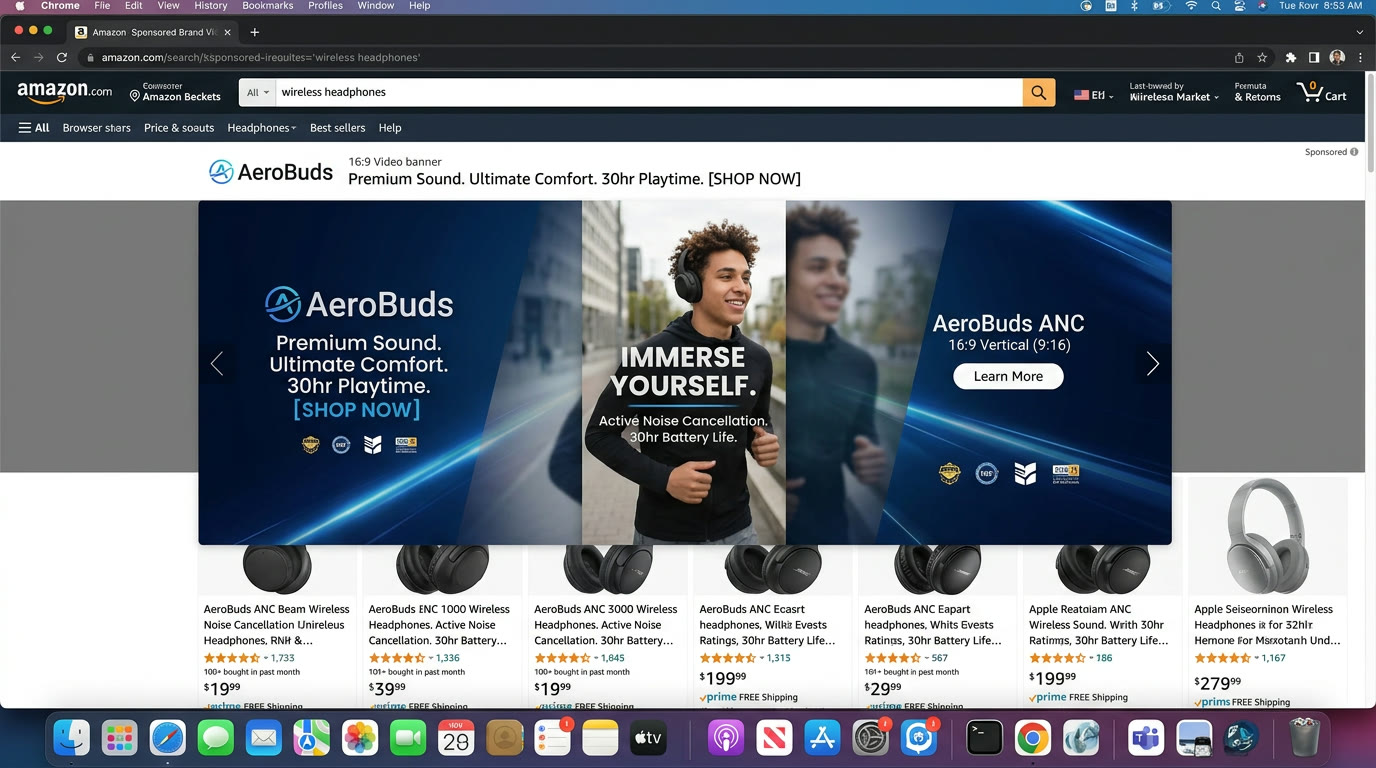
If you want to create Amazon Sponsored Brand Videowith AI, the goal is not just to animate a product shot. The real job is to build a short Amazon-native ad structure that opens fast, shows the product clearly, and turns one seller angle into a reusable video system for repeated Sponsored Brand Video testing.
Sponsored Brand Video rewards clean openings, strong early product relevance, and fast communication. This guide shows how to use Advivi to create a storyboard-first workflow for that format.
What Amazon Sponsored Brand Video with AI should help you do
A useful Sponsored Brand Video workflow should help you do four things well:
- Find a stronger first-second hook quickly.
- Keep the product visible and understandable early.
- Turn one product story into multiple ad-ready variants.
- Reuse winning scenes in future Amazon ad tests.
If you cannot test multiple openings and scene orders, you are not getting the full benefit of AI for Sponsored Brand Video.
1. Start from the product outcome, not from abstract brand copy
Amazon Sponsored Brand Video usually performs better when the opening is tied directly to the product use case or result. The shopper needs to understand the relevance quickly.
In Advivi, a brief like this works well:
"Create an Amazon Sponsored Brand Video for a portable carpet cleaner. Show stain removal fast, keep the product visible early, and build one cleaner product demo version plus one stronger hook-first variation."
This gives you a structured storyboard instead of one generic video request. For broader ad branching, pair this with our Amazon ads AI video generator guide.
2. Use scenes to control hook, demo, proof, and payoff
Sponsored Brand Video gets stronger when each scene has one simple job:
- Frame 1: Open with the clearest product problem or result.
- Frame 2: Show the product in action immediately.
- Frame 3: Reinforce the strongest differentiator.
- Frame 4: Add proof, trust, or a clean detail shot.
- Frame 5: End with the product outcome or brand anchor.
This scene structure matters because you can regenerate only the weak opening or proof segment instead of rebuilding the full ad each time.
3. The opening matters more than perfect polish
Many sellers over-invest in polishing the whole ad before they know which opening works. That slows down learning.
A better system is to keep the middle scenes stable, then test two or three stronger first-second variations. That is where AI helps most: you can compare opening concepts quickly before turning every scene into motion.
4. Generate motion for the scenes that sell the product fastest
Not every Sponsored Brand Video frame needs equal motion. The most important scenes are usually the hook, the product demo, and the core proof or payoff. Use Generate Selected Videos on the scenes that help the shopper understand the product fastest.
This gives you cleaner control over the final asset and makes it easier to create multiple Amazon variants from the same storyboard.
5. Keep the seller workflow connected to listing and PDP content
Sponsored Brand Video should not live in isolation. The strongest teams keep one product-story foundation, then adapt it for product detail pages, listing videos, and ad formats.
If you are still building that product-story foundation, start with our Amazon product video maker for listings guide and the broader Amazon AI video generator guide.
6. Use the timeline to keep the winning structure and swap only the hook
After generation, click Add All Videos to Timeline. Now you can duplicate the project, keep the strongest middle scenes, and test a new opening or CTA without rebuilding the ad.
That is how Sponsored Brand Video becomes a repeatable testing system instead of a one-off asset request.
Amazon Sponsored Brand Video FAQ
What is Amazon Sponsored Brand Video?
It is an Amazon ad format that uses short product-focused video creative to attract attention, communicate the product quickly, and drive shoppers deeper into the buying journey.
Can I create Amazon Sponsored Brand Video with AI?
Yes. A storyboard-based AI workflow can help you build opening hooks, product demo scenes, and reusable ad variations much faster than creating each version manually.
What should a Sponsored Brand Video opening show first?
The opening should usually show the product problem, outcome, or use case immediately. Fast clarity usually matters more than decorative brand storytelling in the first seconds.
How can I test Sponsored Brand Video variations faster?
Keep the strongest middle scenes, regenerate only the opening or proof segments, and use the timeline to duplicate winning structures with minimal rebuilding.
Need faster Sponsored Brand Video testing for Amazon?
Use Advivi to build cleaner openings, stronger product demo scenes, and reusable Amazon ad variations from one storyboard foundation.
Try the Amazon Sponsored Brand Workflow